
From the Event Brief to Call Time
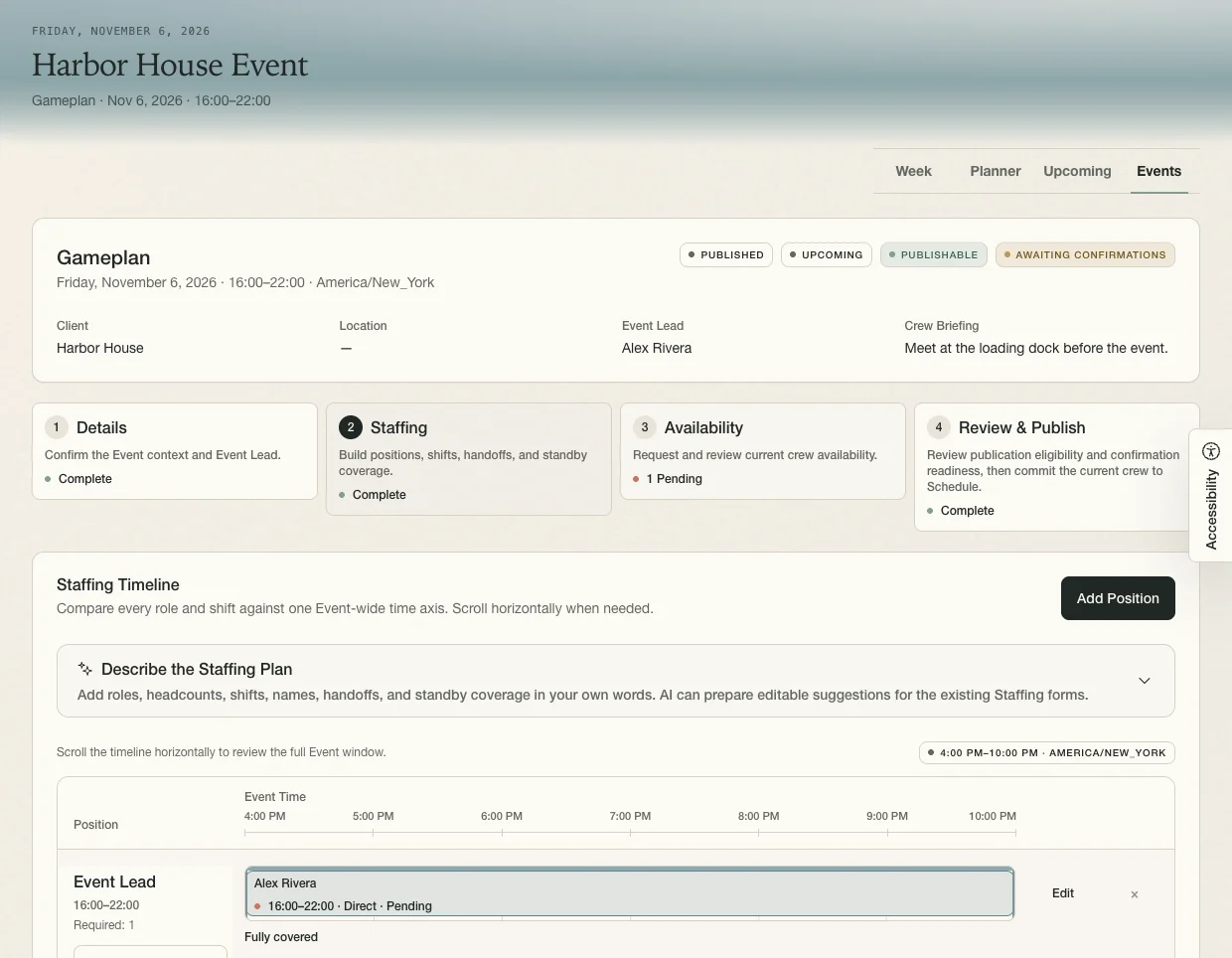
For Friday at Harbor House, the planner sets the schedule, assigns a lead, and sends call times.
Harbor House Walkthrough
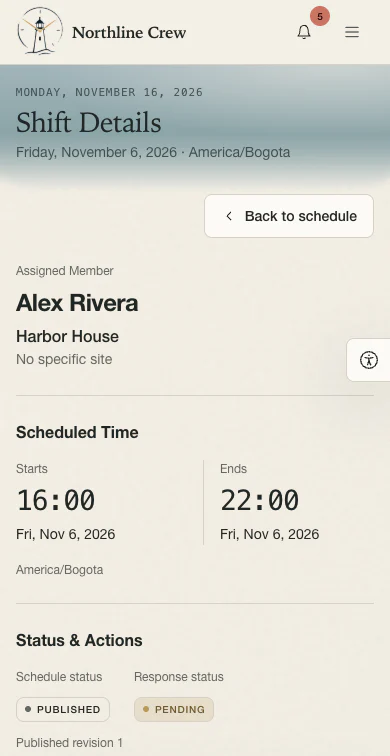
Sam schedules Alex to lead the Harbor House event from 4–10 p.m. When the venue asks the crew to stay until 11, Alex reports the change and Sam approves seven hours.
Read the Video Transcript
- It’s Friday at Harbor House. Sam puts Alex Rivera on the schedule as event lead, from four to ten. Sam adds a note to meet at the loading dock, then sends out the call.
- Alex opens the shift on their phone and confirms they can make it.
- At ten, the event’s still going. The venue asks the crew to stay another hour.
- Alex changes the end time to eleven and adds a quick note about why they stayed. Then they send the report to Sam.
- Sam can see the schedule right next to Alex’s report. The call was four to ten. Alex worked four to eleven. Alex’s note explains the extra hour, so Sam approves the report.
- Seven hours go onto Alex’s timesheet. For every shift, Farero keeps what was scheduled, what actually happened, and what got approved together.
- The closing card shows the Farero logo and says Get in touch. Let’s discuss how Farero can help your team.
Bring a recent event. We’ll walk through staffing, late changes, and hours approval.
Request a WalkthroughPlan From Load-In to Close
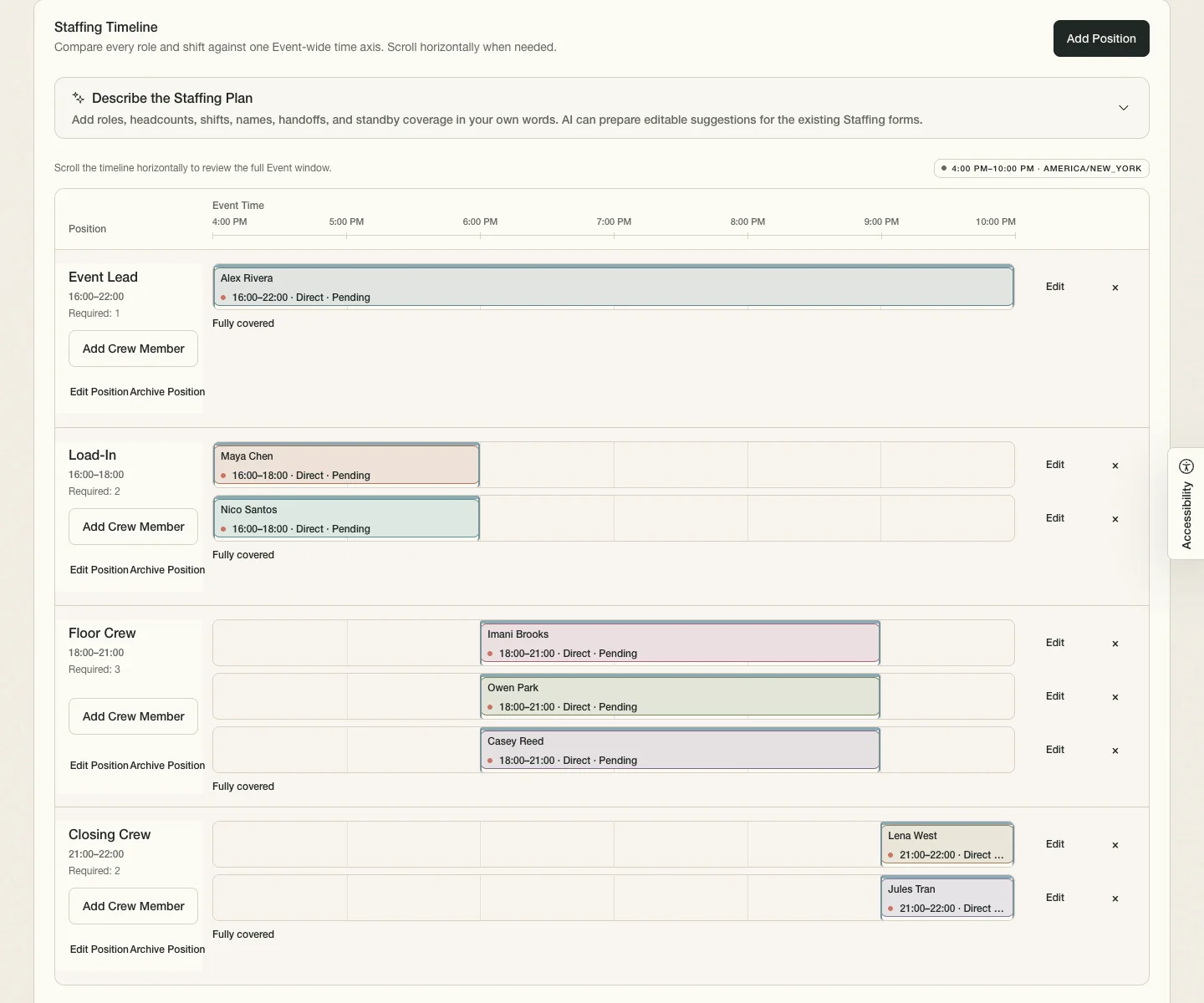
In Event Gameplan, check availability, assign coverage, and record briefings, handoffs, and standby.
Event Drafting
“Need two people to close the Harbor House event from 9 to 10 p.m.”
-
Load-in4–6 p.m. · 2 crew
-
Floor crew6–9 p.m. · 3 crew
-
Closing crew9–10 p.m. · 2 crew
Fit the Shift Into the Week
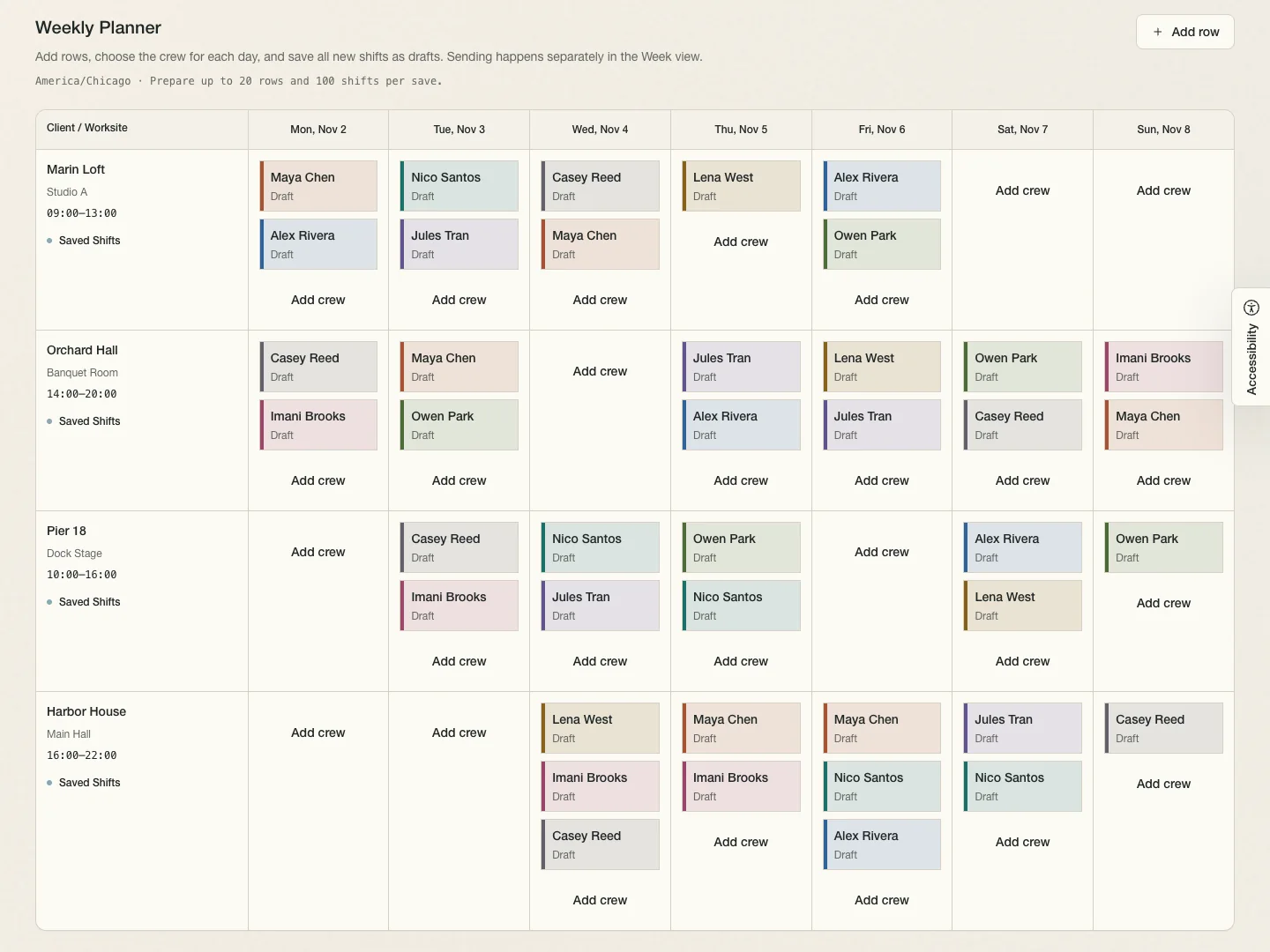
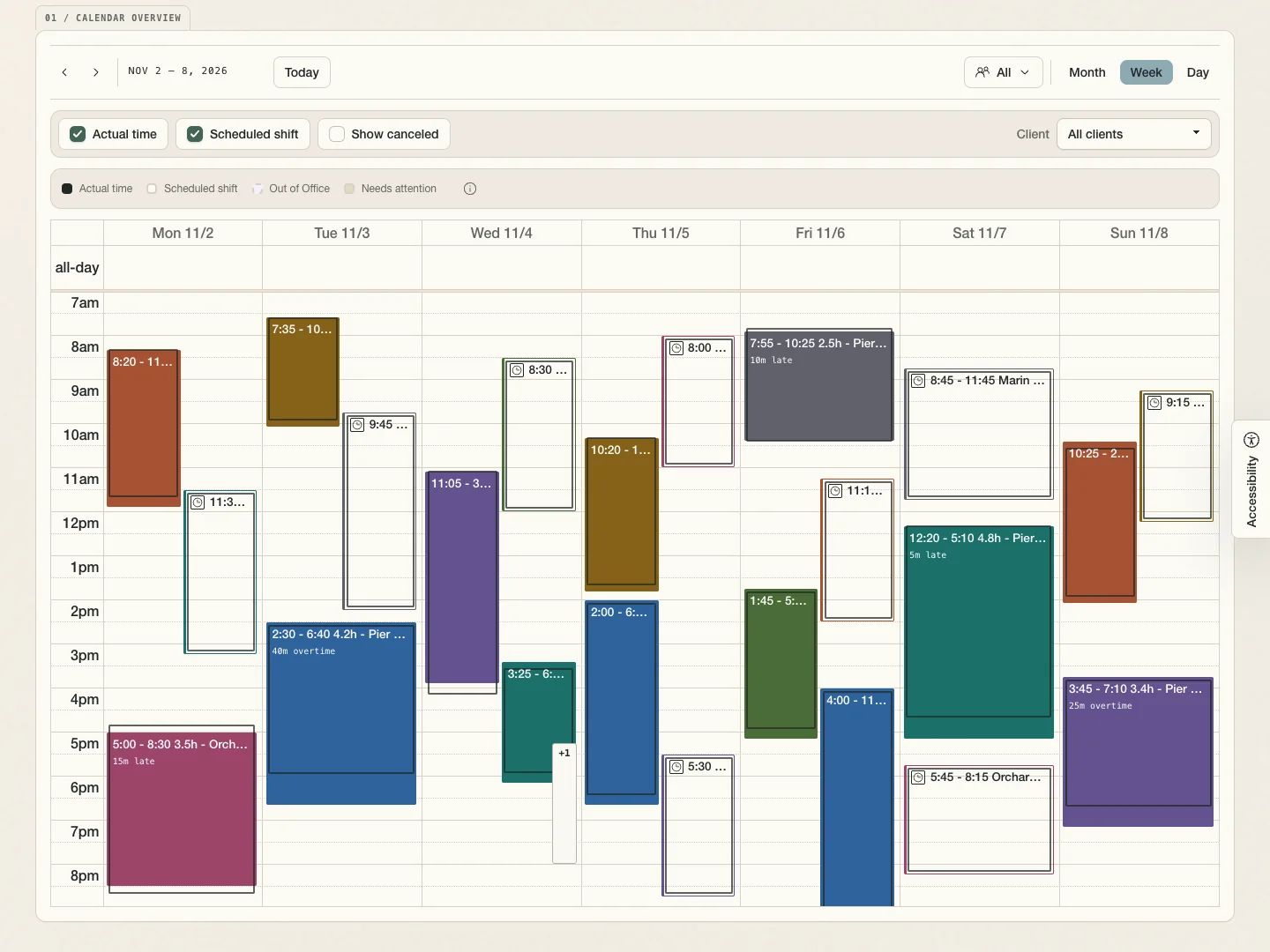
Check overlaps and time off across venues in Weekly Planner. Save drafts or repeat regular jobs.
Send the Shift to the Crew
Publish the shift so crew can see the venue and hours, confirm, or flag a problem on their phone. Track who still needs to reply.
The Shift Runs an Hour Late
In Time Review, compare Alex’s report with the published shift, then approve the sample hours.
See the crew text exampleMarin Loft
Wednesday, Nov 4 · Load-in
- Assigned to
- Load-in crew member
- Scheduled
- 2:00–6:00 p.m.
- Shift note
- Meet at the loading dock.
Harbor House
Friday, Nov 6 · Event Shift
- Reported by
- Alex Rivera
- Work report note
- The venue asked the crew to stay through 11 p.m.
Hours to review
Approved hours
Pier 18
Saturday, Nov 7 · Setup
- Assigned to
- Setup crew member
- Scheduled
- 9:00 a.m.–1:00 p.m.
- Shift note
- Check in at the west entrance.
Close the Week
Review and lock the week for payroll. Choose a date range to preview, print, or download a report as a PDF.
- Timesheet Detail
- Team hours with totals by crew member and client.
- Employee Timesheet
- One employee’s time entries, with total hours and a client breakdown.
- Client Timesheet
- One client’s time entries, with total hours and a crew breakdown.